How to Build a Tutoring Website: Complete Guide
After analyzing more than 100+ tutoring websites in 2025, I realized that many tutoring businesses build elegant-looking sites but struggle with low traffic and poor conversion. Some websites aren't bringing in visitors at all. Others have traffic but can't turn those visitors into paying students.
The key is building a conversion-focused tutoring website that actually converts visitors into students. Building a result-driven tutoring website isn't just about design and development. There are 3 critical phases: Foundation, Development, and Post-Launch.
Hi, I'm Abdur, founder of Mabit Web Studio. For the past three years, I've been helping online education businesses grow with conversion-focused websites and effective marketing strategies.
In this article, I'll explain exactly how to build a result-driven tutoring business website that converts students. By the end, you'll have a clear roadmap covering all 3 phases.
I've also created a checklist for launching your tutoring business website that you can download to follow the complete process step by step.
Table of Contents
Phase 1: Foundation Phase
In my five years as a web developer, I've witnessed countless businesses skip their core foundation and jump straight to website design and marketing. Here's the truth: your business foundation determines whether your tutoring business succeeds or fails. This is the most crucial part, yet it's the one most business owners skip.
Without a solid foundation, you'll build a website with unclear messaging, weak positioning, and content that doesn't resonate with your ideal students. You'll invest thousands in design and marketing, only to wonder why no one's booking consultations.
Set Up Your Core Business Foundation
Many educators launch their businesses, develop their websites, and invest months in marketing, yet still struggle to attract students. Their website gets visitors. Their marketing channels gain reach. But people aren't making the final decision to enroll. What seems to be the issue?
I'll quote Simon Sinek here: "All businesses know what they are selling. Some businesses know how they are selling. Few businesses know why they are selling."
The same concept applies to online tutors and educators. When your core foundation is missing or lacking, your WHY (your purpose) becomes unclear. Your audience struggles to understand what makes you different, why they should trust you, and why they should choose you over dozens of other tutors.
That's why building a solid core foundation is crucial before you even think about website design.
I've written a comprehensive guide on How to Build a Foundation for Your Tutoring Business.
By the end of this guide, you'll have a clear roadmap to build a foundation that attracts the right students and supports sustainable growth.
It also contains a Tutoring Business Foundation Checklist with 36 questions to help you build your foundation step by step. You can download that checklist using the form below.

Download Your Free Tutoring Business Foundation Checklist now
Brand Strategy
Brand strategy is more than just picking colors and designing a logo. It's about creating a consistent visual identity that builds recognition, communicates your values, and influences how potential students perceive your tutoring business.
A strong brand strategy increases trust and credibility. When your website, social media, and marketing materials all look consistent, parents and students recognize you immediately. That recognition builds familiarity, and familiarity builds trust - which directly impacts conversion.
Choosing Your Brand Colors
Color plays a massive role in brand recognition and perception. Research by the Institute for Color Research reveals that people make a subconscious assessment of a website within 90 seconds - and between 62% and 90% of that assessment is based on color alone.
Here's what the data shows:
- Color can increase brand recognition by up to 80%
- 42% of visitors form an opinion of a website based on its design and color scheme
- 52% won't visit a website again if they don't like its aesthetics
- Up to 85% of consumers indicate that color is the primary reason they choose a certain product or service
Color psychology matters for tutoring websites:
- Blue: trust, professionalism, safety, calmness, serenity, peace & productivity.
- Green: growth, balance, health, and nature.
- Orange: urgency, durability, confidence, energy, and creativity.
- Yellow: creative, unique, playful, and optimistic.
- Red: urgency, passion, emergency, survival, and courage.
- Pink: calmness, love, femininity, vibrancy, and youthfulness.
- Black: bold, classy, and luxurious.
- White: friendly, sophisticated, classy.
Choose colors that align with your teaching philosophy and the emotions you want your ideal students to feel.
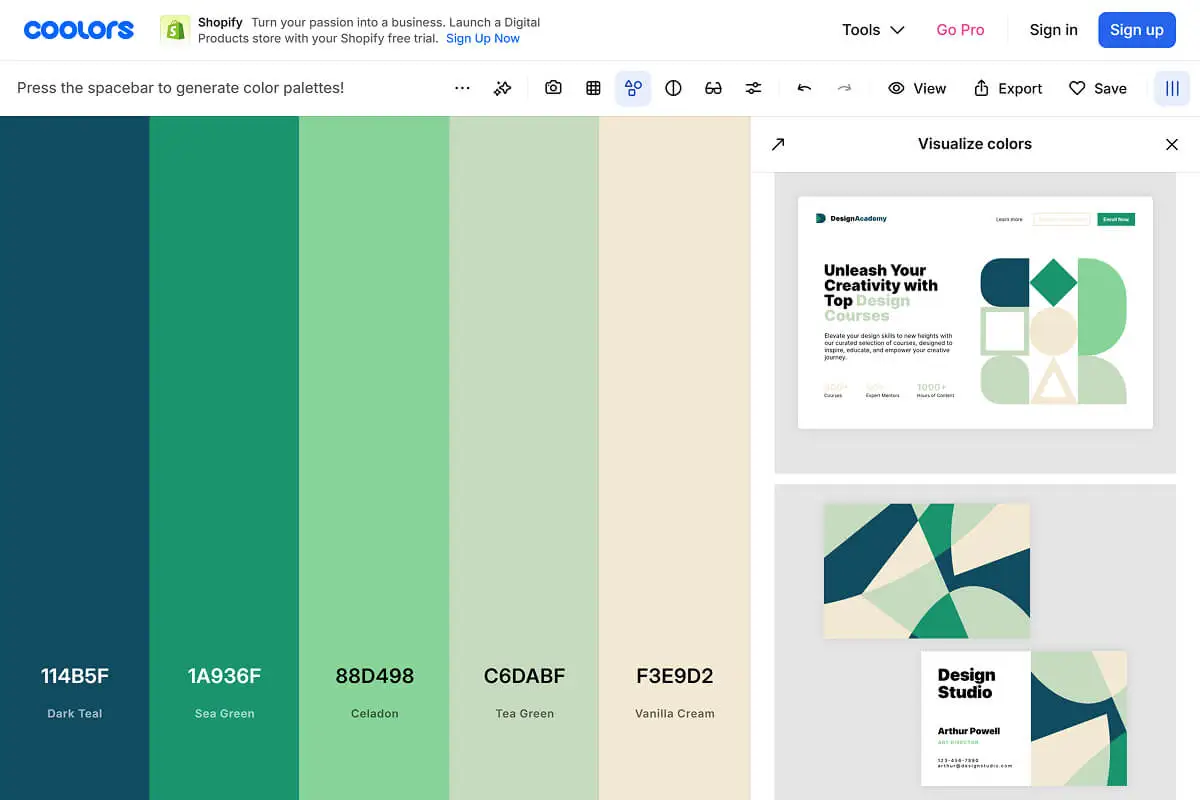
Keep your color palette simple:
- One primary color that represents your brand,
- 1-2 secondary colors for contrast and variety, and
- Neutral colors (white, gray, black) for text and backgrounds.
Tools like Coolors, Adobe Color, or Canva's color palette generator can help you create a cohesive color scheme.
Logo Design Considerations
Your logo is the visual representation of your tutoring business. It appears on your website, social media profiles, marketing materials, and anywhere else your brand shows up.
A good tutoring business logo should be simple, memorable, and relevant to education. Avoid overly complicated designs with too many elements. The best logos work at any size - from a tiny social media profile picture to a large website header.
Should you DIY your logo or hire a professional designer?
If you're just starting out and budget is tight, tools like Canva, Looka, or LogoMaker can help you create something functional. However, if you have the budget, investing in a professional designer ensures your logo looks polished and stands out (you can hire good logo designers on Fiver or Upwork starting from $50-100+).
You'll need several logo variations: full logo (icon + text), icon only (for social media profile pictures), and text-only version (for situations where space is limited).
Common mistakes: Using too many fonts, too many colors, or overly generic education clipart (books, graduation caps, pencils). Your logo should reflect your unique approach, not look like every other tutoring business.
Typography (Fonts) Selection
Typography affects readability, professionalism, and how visitors perceive your tutoring website. Choose fonts that are clear and easy to read on all devices.
Keep it simple: Use a maximum of 2 fonts - one for headers and one for body text. Using more creates visual chaos and looks unprofessional.
Stick with Google Fonts for your website. They're free, load quickly, and work across all browsers and devices.
Popular choices for education websites include: Poppins, Inter, Roboto, Open Sans (for body text), and Montserrat, Raleway, or Playfair Display (for headers).
Pair a bold, attention-grabbing font for headers with a clean, highly readable font for body text. Test your font choices on mobile devices - what looks good on desktop might be too small or hard to read on phones.
Creating a Simple Brand Style Guide
A brand style guide documents all your visual identity decisions in one place. This ensures consistency across your website, social media, marketing materials, and any content you create.
Your brand style guide should include:
- Brand colors (hex codes, RGB values) for primary, secondary, and neutral colors
- Typography (font names, sizes for headers, subheaders, and body text)
- Logo files (where to access them and how to use them correctly)
- Tone and voice guidelines (how you communicate - formal, casual, encouraging, professional)
You don't need a 50-page document. A simple 2-3 page guide with this information is enough to keep your brand consistent as you create content and market your tutoring business.
Phase 2: Development Phase
Now that your foundation and brand strategy are in place, it's time to actually build your tutoring website. This phase covers everything from keyword research and site structure to copywriting, design, development, and launch.
Most tutors rush through this phase, focusing only on making the site "look good." That's a mistake. The development phase is where you implement conversion strategy, SEO optimization, and user experience design that actually brings students.
1. SEO Keyword Research
Search Engine Optimization (SEO) is the process of optimizing your website so it ranks higher in search results when potential students search for tutors on Google. When someone types "online chemistry tutor" or "SAT prep tutor near me," you want your tutoring business website to appear on the first page.
Keyword research is the foundation of SEO. It tells you exactly what words and phrases your ideal students are searching for. If you build your website without keyword research, you're guessing. You might create pages about topics no one searches for, which means no traffic and no students.
SEO is crucial going forward. Organic search traffic (people finding you through Google) is free, consistent, and brings highly qualified leads - students actively looking for what you offer. Unlike paid ads that stop working when you stop paying, SEO builds long-term visibility.
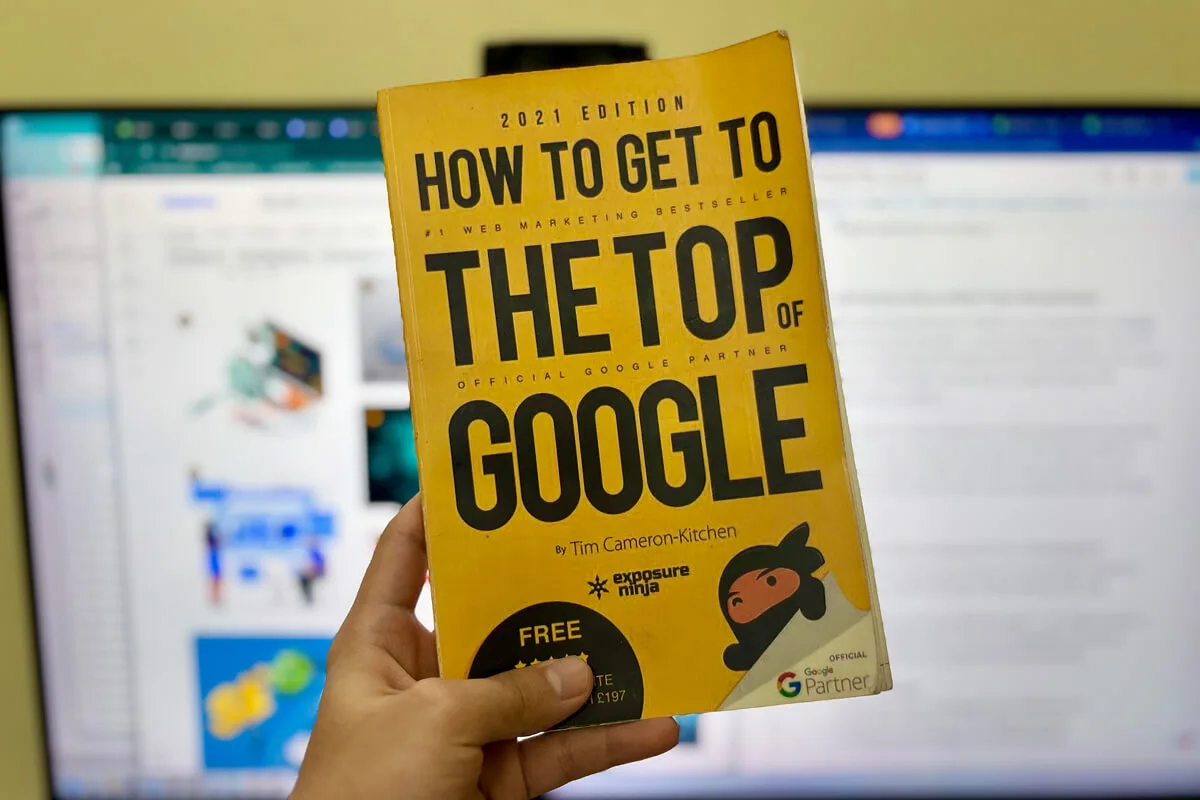
If you're looking to grow your tutoring business online, learning the basics of SEO is going to help you tremendously in your content creation journey. I recommend reading “How to Get to the Top of Google" by Tim Cameron-Kitchen" - it's an excellent practical guide for business owners.
Types of Keywords to Target
Primary keywords are your main services. These are broad terms like "online math tutor," "Spanish tutoring," or "test prep services." They have high search volume but also high competition.
Location-based keywords matter if you serve local students. Examples: "math tutor in Austin," "chemistry tutor near me," or "SAT prep in Los Angeles." These keywords have lower competition and attract students in your area.
Long-tail keywords are specific phrases that target particular student problems. Examples: "how to improve SAT math score," "algebra help for struggling students," or "conversational Spanish practice online." These have lower search volume but higher intent - people searching these phrases are closer to booking.
Question-based keywords are perfect for blog content. Examples: "how to study for chemistry exams," "what is the best way to learn Spanish," or "how long does SAT prep take." Answer these questions in blog articles to attract organic traffic.
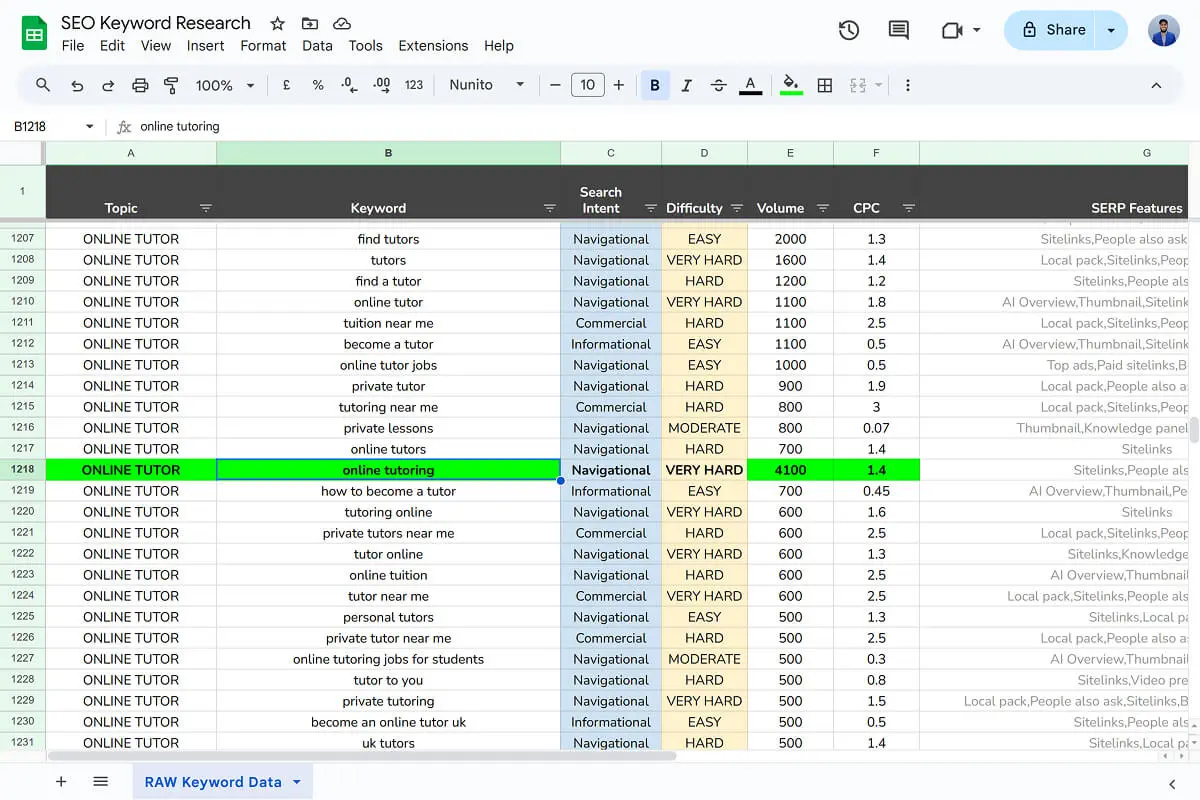
Keyword Research Process
1. Tools to use:
SEMrush, Ahrefs, and other professional SEO tools are powerful but expensive (often $100- 300). Ubersuggest is a budget-friendly option, and it’s helpful for beginners and tutors focused on content creation.
If you're building your tutoring website yourself and watching your budget, start with Google Keyword Planner - it's free and provides solid data for beginners.
Here’s a tutorial video on How to Use Google Keyword Planner for SEO for Free.
2. Analyzing search volume vs. competition:
Look for keywords with decent search volume (at least 100-500 monthly searches) but low to medium competition. High-volume, high-competition keywords are difficult to rank for when you're just starting.
3. Understanding search intent:
What does the searcher want? Informational intent (learning something), navigational intent (finding a specific website), or transactional intent (ready to book/buy). Focus on transactional and informational keywords that lead to bookings.
Search the keyword in Google and look at what type of pages are ranking for that keyword. If they are mostly informational, then visitors are looking for information for that keyword.
4. Competitor keyword analysis:
Look at what keywords your direct competitors are ranking for. Tools like Ubersuggest or even manual Google searches can reveal what's working in your niche.
If you want to learn more about Keyword Research, here is an in-depth article by Hubspot on How to Do Keyword Research for SEO.
Organizing Keywords by Page/Section
Once you have your keyword list, assign them to specific pages. This ensures each page targets relevant search terms.
1. Homepage keywords: Your main service + location (if local). Example: "online chemistry tutor" or "math tutoring in Chicago."
2. Service page keywords: Specific services. Each service page should target its own keywords. Example: Your SAT prep page targets "SAT tutoring," "SAT prep course," "improve SAT scores."
3. About page keywords: Your name, credentials, and teaching philosophy. Less about SEO, more about brand.
4. Blog content keywords: Question-based and long-tail keywords. Each article targets a specific keyword phrase.
We'll cover page structure and selection in the next section, so keep your keyword list organized and ready to implement.
2. Website Wireframe & Site Structure
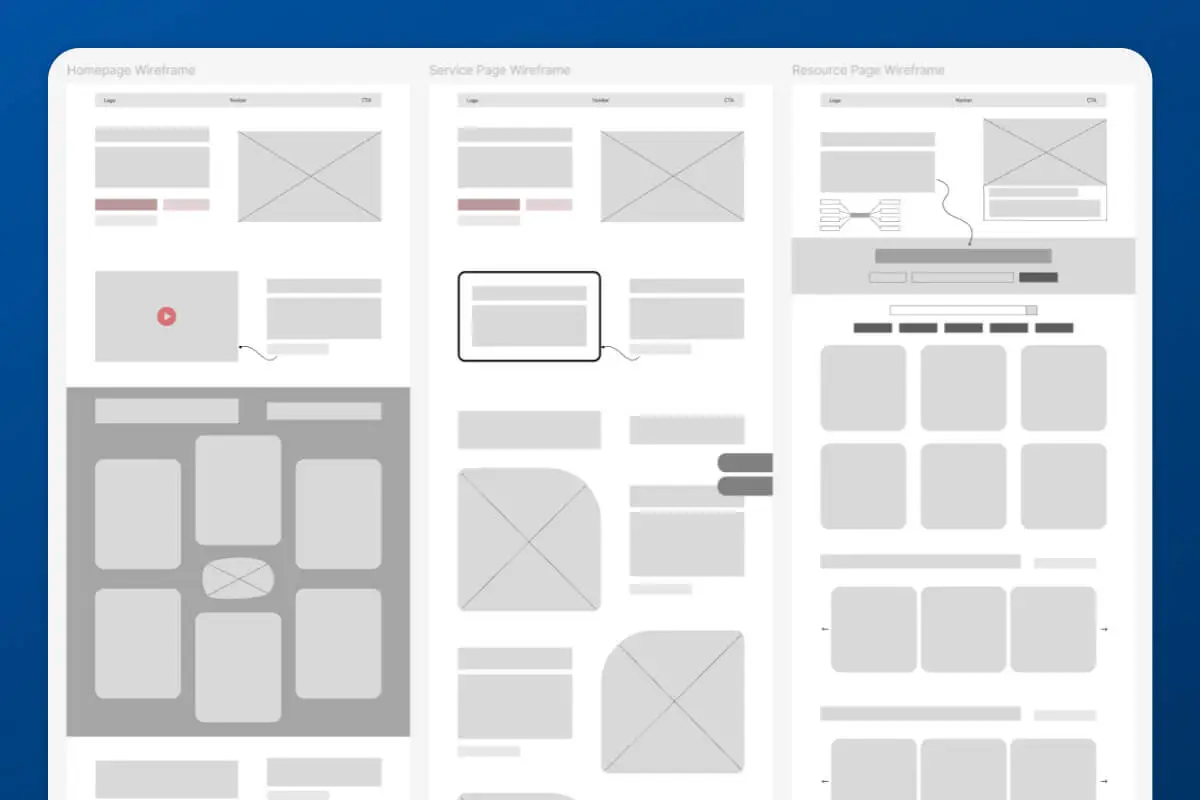
A wireframe is a blueprint of your tutoring website. It shows the layout, structure, and hierarchy of content on each page without focusing on colors, fonts, or design elements. Think of it like an architectural blueprint before building a house.
Why does wireframing matter? It forces you to plan the user journey before investing in design. You focus on what information goes where, what the visitor sees first, and how they move from landing on your site to booking a call. This prevents costly redesigns later when you realize the layout doesn't guide visitors toward conversion.
Wireframing and copywriting go hand in hand. Your wireframe shows structure, but your copy (the actual words) brings it to life. We'll dive deeper into copywriting in the next section.
Essential Pages for Tutoring Websites
Homepage is your main conversion hub. This is where most visitors land, so it needs to immediately communicate what you do, who you help, and why they should choose you. Your homepage should guide visitors to book a call or sign up for a lead magnet.
Services page clearly explains your offerings. Don't just list subjects - explain the transformation students get, your teaching approach, and why your method works. Make it easy for visitors to understand what they're getting.
About page builds trust and connection. Share your story, your teaching philosophy, your credentials, and why you started tutoring. People connect with people, not businesses. Show your face, share your personality, and make visitors feel like they know you.
Contact/Booking page reduces friction. Make it incredibly easy to book a consultation or reach out. Include a simple form, your email, scheduling link (like Calendly), and any other ways students can connect with you.
Blog/Resources is essential for SEO and authority building. Regular blog content ranks in search results, brings organic traffic, and positions you as an expert. Every article should link back to your services.
Optional but crucial pages: Testimonials/case studies/student success stories page (powerful social proof), FAQ page (answers common objections and amazing for SEO), and Pricing page (transparency can help or hurt depending on your strategy).
These pages are optional, but can become key conversion factors for your business. You don’t have to build them from the start. You can slowly add them to your website after launch.
Information Architecture
Information architecture is how your website is organized. It includes your navigation menu structure, the flow from one page to another, and how visitors find information.
Keep navigation simple and logical: Home, Services, Case Studies, Blogs, About. Don't overwhelm visitors with too many menu items.
User flow from landing to booking should be clear:
- Visitor lands on homepage
- Learns about your services
- Sees social proof
- Books consultation
Every page should have a clear next step.
Internal linking strategy connects your pages. Blog articles link to relevant service pages. Service pages link to booking. About page links to services. This helps SEO and keeps visitors engaged.
Wireframing Tools and Approach
Low-fidelity wireframes are basic sketches showing layout structure. You can literally use pen and paper. These are fast and help you plan without getting distracted by design details.
High-fidelity wireframes are more detailed digital versions. Tools like Figma, Sketch, or Adobe XD let you create precise layouts. These are helpful if you're working with a designer or developer.
For most tutors building a simple website, low-fidelity wireframes or even just outlining page structure in a document works fine. Focus on conversion paths: Where do you want visitors to go? What action should they take? Design your wireframe around those goals.
3. Website Copywriting
Here's the truth that most tutors don't realize: copy (the words on your website) matters more than design. Beautiful design catches attention for 5 seconds. Compelling copy keeps visitors reading and convinces them to book.
Copy is what communicates your foundation - your purpose, values, & unique selling propositions. Copy builds trust, answers objections, and guides visitors toward enrollment. If your copy is weak or generic, even the most beautiful design won't convert.
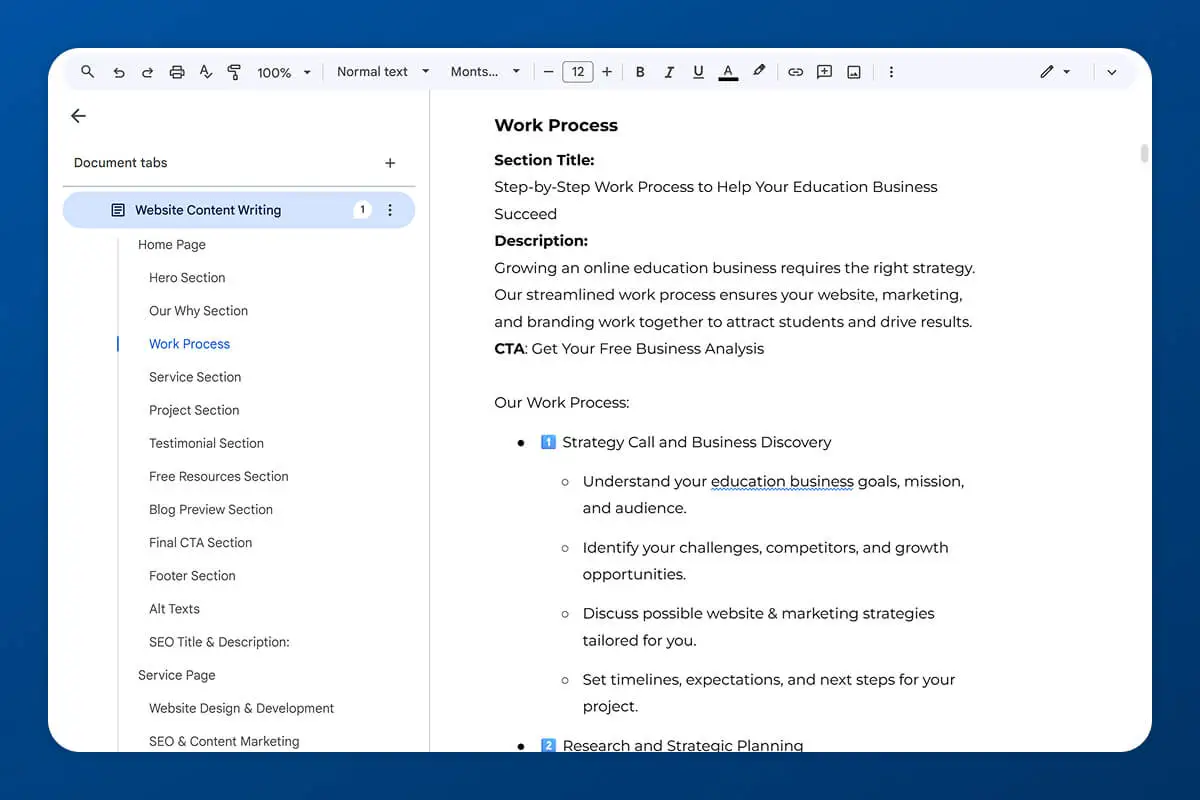
Copy/Content Structure for General Pages
Your website copy should take visitors on a journey. From the top of the page to the bottom, readers should move through:
- Discovering your tutoring business
- Learning about your purpose and approach
- Understanding your services
- Seeing proof of results
- Trusting you enough to book a call or make a decision.
At Mabit Web Studio, we follow this content structure for Homepages and Service Pages. About, FAQ, testimonials, case studies, resources, and blog pages usually have simpler structures. We'll discuss landing page structure in the high-converting landing pages section.

1. Hero Section
Tell visitors exactly what your tutoring business is about. What services are you offering? Why should they trust you? Include a clear headline, subheadline explaining your value, and a prominent call-to- action button.
Use real photos of yourself or your teaching environment, not generic stock images. Authenticity builds trust.
2. Why/Purpose Section
Describe what your tutoring business is about and the benefits students get. This section should make visitors feel connected to your mission. Why do you teach? What do you believe about education? What change are you trying to create?
Including a video in this section is one of the best ways to build trust. People connect with your voice, energy, and personality in ways text can't capture.
3. How/Process Section
Explain the A-Z process of working with you. What happens from the moment someone books a consultation to their first session to ongoing progress? Clear process descriptions reduce anxiety and uncertainty.
4. Services Overview
Dive into your services with brief descriptions and links to individual service pages. Don't overwhelm visitors with every detail here - give them enough to spark interest and click through.
5. Social Proof / Proof of Work
Include testimonials, case studies, or student success stories. Specific results are more powerful than generic praise. Video testimonials of your students/parents works the best for converting visitors.
6. About Us / Founder / Team Section
Build familiarity and introduce faces. People want to connect with other people, not businesses. Share your story briefly - save the full version for your About page.
7. Final CTA Section
Address a common pain point your ideal students face and invite them to take action. Your call-to-action should be valuable and make the decision easy. Examples: "Book a free 20-minute consultation," "Schedule a discovery call," or "Get your free study guide."
8. Free Lead Magnet Section
Give visitors immediate value even before they commit to booking. Offer a downloadable resource, quiz, or mini-course. Keep the form simple - just name and email.
9. Blog/Article Highlights
Showcase recent blog articles and invite visitors to explore your content. This positions you as an expert and gives visitors more ways to engage with your brand.
Write Compelling CTAs
Your call-to-action (CTA) buttons and links should be clear, action-oriented, and friction-free.
Use action-oriented language: "Schedule Your Free Consultation" is better than "Learn More." "Download Your Study Guide" is better than "Submit." Be specific about what happens when they click.
Keep it short and precise: 2-5 words is ideal. "Book Free Call," "Get Started Now," "Download Checklist."
Remove friction phrases: Avoid words like "submit," "sign up," or anything that sounds like commitment or work. Use words like "get," "access," "download," "schedule" - these feel easier.
Multiple CTAs throughout site: Don't make visitors scroll to the bottom to take action. Include CTAs in your hero section, after explaining benefits, after social proof, and at the end. Different visitors will be ready at different points.
SEO Copywriting Best Practices
Natural keyword integration: Include your target keywords in headers, throughout the content, and in your meta descriptions. But don't force it. Write for humans first, search engines second. If a keyword feels awkward, rephrase naturally.
Readability and scannability: Most visitors skim, not read. Use short paragraphs (2-4 sentences), bullet points, subheadings, and white space to make content easy to scan. Highlight key points in bold.
Header hierarchy (H1, H2, H3): Your page title is H1 (only one per page). Major sections are H2. Subsections under those are H3. This hierarchy helps both readers and search engines understand your content structure.
4. Website Design & Development
Now that you have your brand identity, keyword research, page structure, and copy ready, it's time to actually build your tutoring website.
Website design and development is where everything comes together visually and functionally. Your wireframes and copy get transformed into a live, interactive site that visitors can explore and engage with.
But before you start designing, you need to make a critical decision: where and how will you build your website?
Which Platform Should You Use for Building Your Tutoring Website?
The platform you choose affects your website's SEO capabilities, design freedom, cost, and long-term scalability. There's no "best" platform for everyone - it depends on your needs, budget, technical comfort, and business goals.
Let's break down your options:
1. No-Code Website Builders (Recommended for Most Tutors)
No-code tools are website builders that let you create professional websites without writing code. You use drag- and-drop interfaces, pre-built templates, and visual editors.
Why no-code tools are better than tutoring-hosted platforms:
No-code builders like WordPress and Webflow are website specialists. They give you full control over SEO, design, and functionality.
Tutoring platforms like Kajabi and Teachable are all-in-one course platforms that happen to include website builders - but website building isn't their specialty. You'll have better SEO performance and design freedom with dedicated website builders.
Which no-code tool is best for education websites? It depends on your needs and budget.
i. WordPress is the best overall option. It powers 43% of all websites on the internet. It has the most plugins, themes, and customization options. SEO performance is excellent.
However, WordPress is more technical than other options and can become costly with premium plugins. Best for: tutors who want ultimate flexibility and the best SEO.
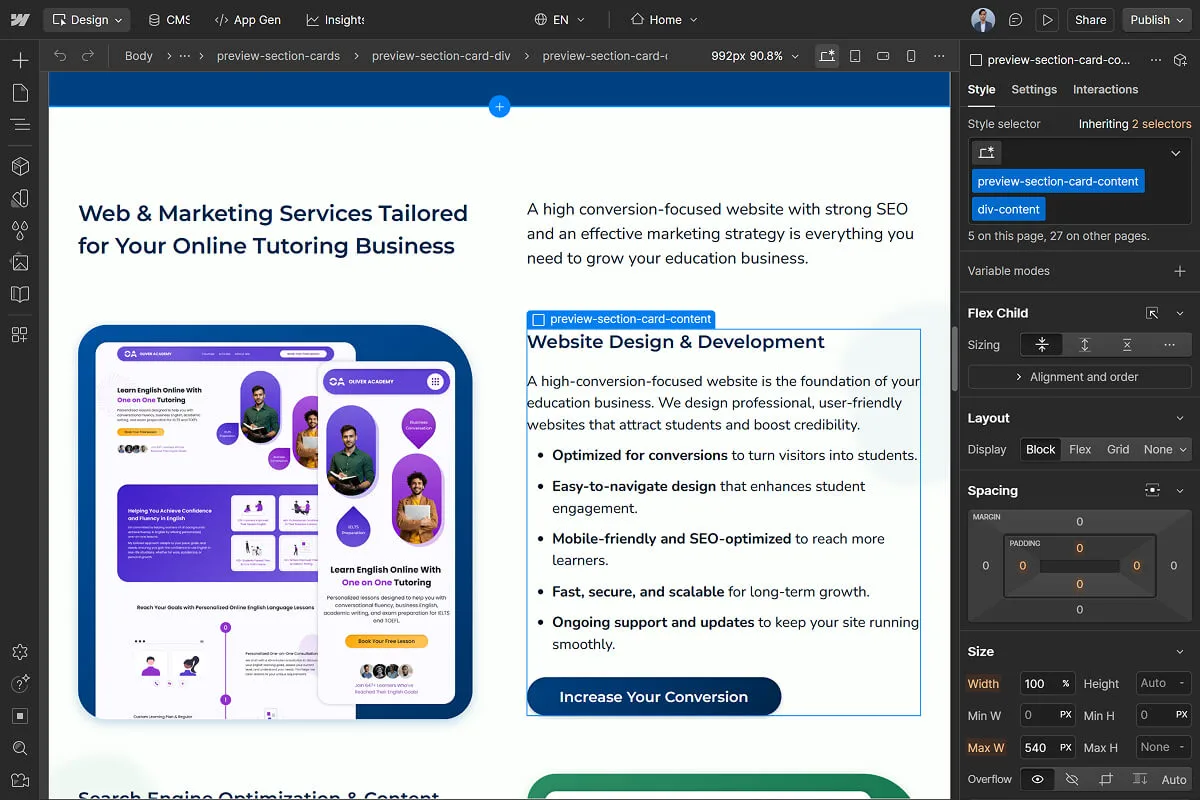
ii. Webflow is the best option for design and development freedom. Their SEO is top-notch, and you have complete creative control. However, building custom functionality or complex platforms requires developers, which can get expensive compared to WordPress. Best for: tutors who want beautiful, unique designs and have a budget for professional development.
iii. Wix Studio is an all-in-one platform with website building, integrated marketing tools, SEO features, and ads management. However, SEO performance on Wix is concerning compared to WordPress and Webflow. Best for: tutors who want extreme simplicity and don't mind some SEO limitations.
Platforms to avoid:
Squarespace (limited flexibility, poor seo), Framer (not ideal for full education sites), Shopify (only if you're selling physical products - WordPress with WooCommerce is better for educational products).
Final suggestion: Go with WordPress or Webflow. But remember, there's no permanent "best" platform. Every platform has pros and cons. Choose based on what your tutoring business needs in the long run.
2. Tutoring Platform Hosted Websites
Tutoring platforms like TutorCruncher, Teachable, TutorBird, and Kajabi provide all-in-one solutions: website hosting, course management, scheduling, payment processing, and student management.
Pros: Everything in one place. Manage classes, courses, payments, and your website from a single dashboard. No need to integrate multiple tools.
Cons: Usually low SEO performance. Limited design customization. You're locked into one platform - switching later is difficult and time-consuming. High monthly costs.
When to consider tutoring platforms: If you don't want to manage multiple tools, you're okay with the limitations, and you're comfortable with the ongoing cost.
3. Custom Web Development
Custom web development means building your website from scratch using code. A developer writes custom code specifically for your needs instead of using a pre-built platform.
When to consider custom development: If you're building a complex e-learning platform, custom course marketplace, or need specific functionality that no platform offers.
Pros: Complete control. Exactly what you want, built exactly how you want it.
Cons: Expensive ($10,000-50,000+ depending on complexity). Requires ongoing maintenance and updates. Monthly fees for hosting, security, and updates. Development takes months to complete.
4. Quick Tips for Building E-Learning Platforms and Custom Course Websites
Don't build a custom e-learning, tutoring, or course platform right at the start. Use an existing tutoring or course platform to test your offer, build your audience, and prove demand first. Once you have traction, revenue, and a clear understanding of what you need, then consider custom development.
Use a subdomain for your platform and keep your main domain for marketing, resources, and your sales funnel.
A subdomain looks like this: learn.yourdomain.com or courses.yourdomain.com, your main domain ( yourdomain.com ) stays focused on attracting students, while your subdomain handles the actual teaching platform.
Why this matters: Your main domain builds SEO authority and ranks in search results. If you put your entire teaching platform on your main domain, all the backend pages (student dashboards, logins, course pages) dilute your SEO. By using a subdomain, your main domain stays clean and optimized for attracting students.
Example: Teachable's main website is teachable.com , but when you log into their platform, the domain becomes sso.teachable.com - the subdomain handles the platform backend while the main domain focuses on marketing. This setup is more technical and costly, but worth it for long-term growth.
Design Principles for Tutoring Websites
Good website design isn't about fancy animations or complex layouts. It's about clarity, usability, and guiding visitors toward booking.
1. Clean and professional, not cluttered: White space is your friend. Don't cram every inch of the page with text or images. Give elements room to breathe.
2. Mobile-first approach: Over 60% of website traffic comes from mobile devices. Design for mobile screens first, then adapt for desktop. Test everything on your phone.
3. Fast loading speed: Slow websites kill conversions. If your site takes more than 3 seconds to load, visitors leave. Optimize images, minimize plugins, and use fast hosting.
4. Accessibility standards: Make sure your site works for everyone, including people with visual impairments or using screen readers. Use proper contrast ratios, readable fonts, and alt text for images.
DIY vs. Hiring a Professional
Should you build your tutoring website yourself or hire someone?
When DIY makes sense:
- You're just starting, and budget is extremely tight
- You're comfortable learning new tools and troubleshooting
- You have time to invest (expect 6-12 weeks)
- You're okay with a simpler, template-based design
When to invest in professional design:
- You want it done right the first time without trial and error
- You don't have time to learn and build yourself
- You want a custom, unique design that stands out
- You need advanced functionality (custom booking systems, integrations, etc.)
What to look for in a web developer:
- Experience building education or service-based websites
- Portfolio showing real results, not just pretty designs
- Clear communication and project timeline
- Understanding of SEO, conversion optimization, and user experience
- Honest about what your business actually needs (not just saying yes to everything)
Typical costs and timelines:
- Hiring freelancers:
- Pros: Affordable upfront ($500-2,000), flexible options
- Cons: You may need multiple hires (designer, developer, SEO expert, copywriter), making it harder to manage. Quality varies widely. Projects often take longer than expected.
- Cost: $500-2,000 depending on complexity
- Verdict: Best for tight budgets but requires you to manage multiple people. Results are often inconsistent because freelancers work in silos.
- Hiring an agency:
- Pros: All-in-one service (strategy, design, development, SEO, copywriting). Professional results. Saves time. One point of contact.
- Cons: More expensive upfront than freelancers
- Cost: $1,000-5,000+ depending on your business needs and website functionality. Many agencies offer flexible plans based on budget.
- Verdict: For long-term success, hiring an agency focused on education businesses is the better investment. They understand your niche, have proven processes, and deliver cohesive results instead of piecing together work from multiple freelancers.
How to detect expert agencies vs. generic ones:
Experts tell you what your tutoring business actually needs and what you need to hear - even if it's not what you want to hear. Generic agencies just say yes to everything and tell you what you want to hear to make the sale.
Download Your Free Tutoring Website Launch Checklist Now
Build Your Tutoring Business Website With Mabit Web Studio
Building a tutoring website alone is time-consuming and requires expertise across multiple areas: SEO research, copywriting, design, development, and technical setup. As an educator, you already have too much on your plate.

At Mabit Web Studio, we handle the entire website build for online tutors so you can focus on teaching. We create tutoring business websites that:
- Convert visitors into leads through strategic design and copywriting
- Feature modern, elegant, fully responsive UI/UX design
- Are easy to maintain and update
- Align with your ideal student's needs and your business goals
- Allow you to focus on what you do best - inspiring learners
Our packages are flexible to your tutoring business needs and budget. Book a consultation call to discuss your website project.
5. Conversion Optimization
Conversion optimization is the process of improving your website to turn more visitors into leads and paying students. It's about removing friction, building trust, and making it as easy as possible for visitors to take action.
You can have thousands of visitors, but if your site doesn't convert them, that traffic is worthless. A website optimized for conversion with 100 visitors will bring more students than a poorly optimized site with 1,000 visitors.
Conversion optimization is data-driven. You track what visitors do (where they click, where they leave, what forms they complete), then make improvements based on real behavior, not assumptions.
Key Conversion Elements
1. Clear value proposition: Within 5 seconds of landing on your homepage, visitors should understand what you do, who you help, and why they should choose you. If they're confused, they leave.
2. Trust signals throughout: Credentials, certifications, years of experience, student success numbers, professional associations - sprinkle these throughout your site to build credibility.
3. Case studies and video testimonials: Text testimonials are good. Video testimonials are 10x better. Seeing and hearing real students or parents talk about results builds massive trust.
4. Reducing friction in the booking process: Every extra step in your booking process loses potential students. Make scheduling a consultation as easy as possible: one form, minimal fields, clear next steps.
5. Strategic CTA placement: Don't hide your CTAs. Put them in your hero section, after explaining benefits, after social proof, and at the bottom. Visitors should always know what to do next.
6. Social proof positioning: Place testimonials and success stories strategically - after explaining your services, before asking for bookings. Show proof right when visitors are deciding whether to trust you.
7. Having a chat box: Live chat or chatbots give visitors instant answers to questions. Many people prefer chatting over filling out forms. Tools like Tawk.to (free), Crisp, or Tidio provide chat box options.
Make sure they are lightweight or hire a professional to set this up. Chatbox are notorious to slow down websites if wasn’t integrated properly.
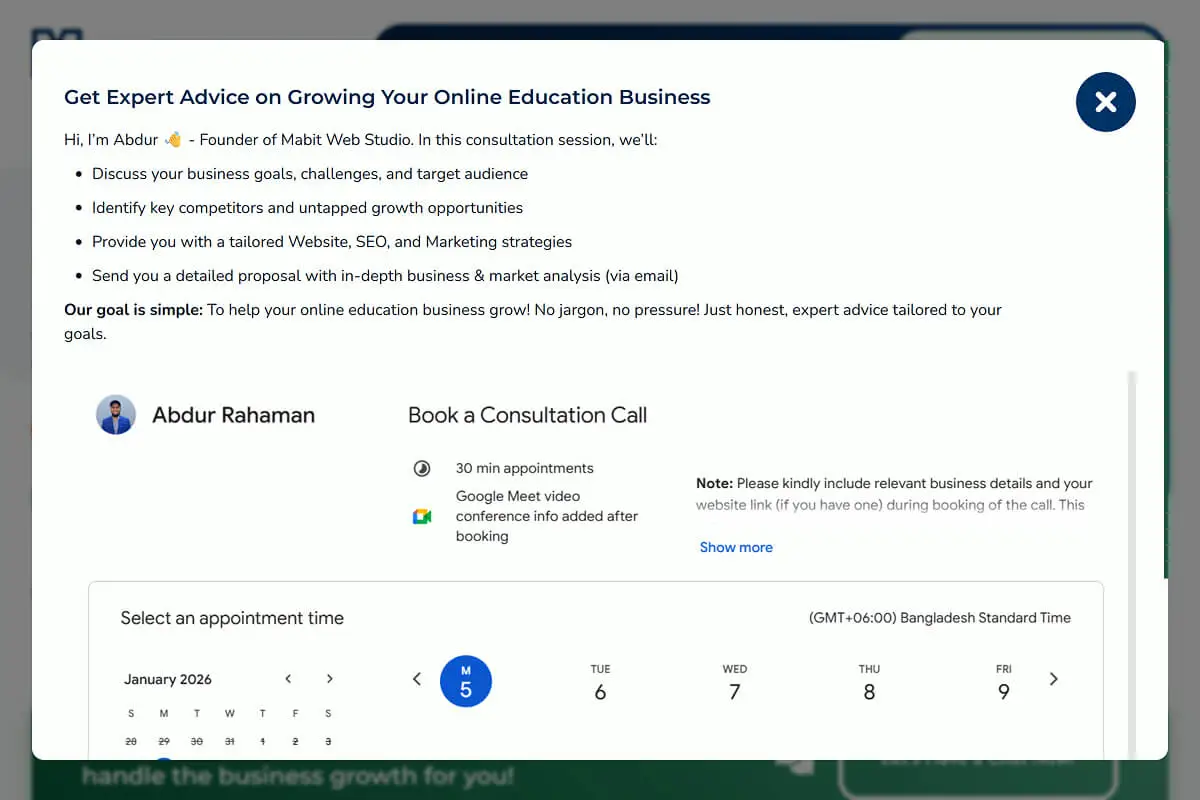
8. Modal popup windows: Strategic popups can capture leads without being annoying. Exit-intent popups (triggered when someone's about to leave) offering a free resource or discount can recover visitors who were about to bounce.
Conversion-Focused Page Layouts
1. Above-the-fold optimization: "Above the fold" means what visitors see before scrolling. Your headline, subheadline, main image, and CTA should all be visible immediately. Make those first few seconds count.
2. Scannable content structure: Use headers, short paragraphs, bullet points, and bold text to make content easy to skim. Most visitors scan, not read word-for-word.
3. Visual hierarchy: Size, color, and positioning guide visitors' eyes. Your most important elements (headline, CTA buttons) should be the most visually prominent.
4. White space usage: Don't be afraid of empty space. White space makes content easier to read and elements stand out more.
Mobile Conversion Optimization
Remember, over 60% of traffic is mobile. Your site must convert on small screens.
1. Click-to-call buttons: On mobile, make your phone number a tappable button. Visitors can call immediately without copying and pasting.
2. Simplified forms: Long forms on mobile are painful. Keep forms to 2-3 fields maximum on mobile devices.
3. Touch-friendly navigation: Buttons and links should be large enough to tap easily. Avoid tiny text links that require precision.
4. Fast mobile loading: Mobile users are even more impatient than desktop users. Optimize images aggressively and minimize unnecessary scripts.
Tools for Conversion Tracking
Google Analytics: Free tool that shows how many visitors you get, where they come from, which pages they visit, and how long they stay. Essential for understanding your traffic.
Heatmaps (Hotjar, Crazy Egg): Visual tools showing where visitors click, how far they scroll, and what elements they ignore. Heatmaps reveal what's working and what's being ignored.
Form analytics: Track which form fields cause visitors to abandon. If everyone drops off at a specific field, that field is the problem.
A/B testing basics: Test two versions of an element to see which converts better. Change one element at a time (headline, CTA button color, image) and measure which performs better. Conversion case studies prove that sometimes changing the color of the CTA button can result in a 40-50% increase in conversion.
6. Sales Funnels + Lead Magnets
A sales funnel is the journey a prospect takes from discovering your tutoring business to becoming a paying student. A lead magnet is a free valuable resource you offer in exchange for contact information (usually email).
Why are these required? Because most people don't book immediately. They need time to research, compare options, and build trust. A sales funnel nurtures prospects over time, keeping you top-of-mind until they're ready to commit. Lead magnets capture contact information so you can follow up and stay connected.
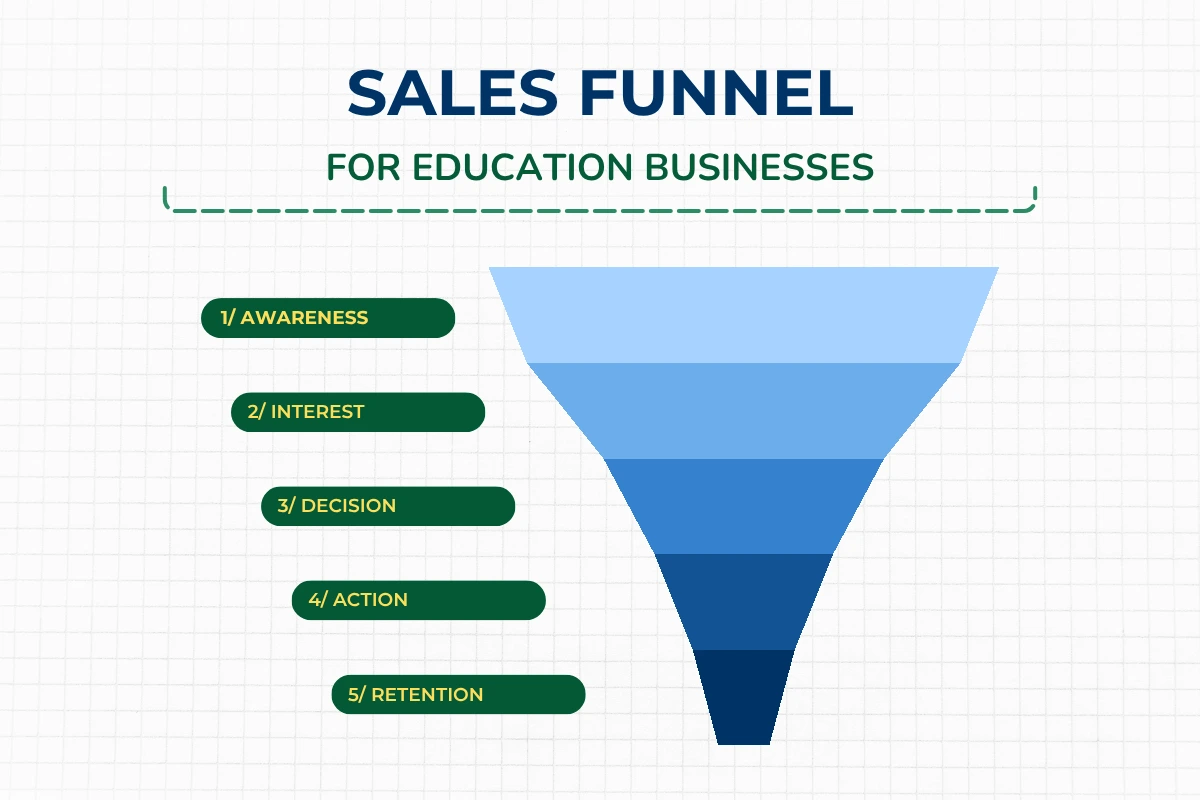
I've written a comprehensive guide on How to Build a Sales Funnel for Your Education Business. Since I'm highlighting that article and encouraging you to read it for the complete process, I won't dive too deep here. But let's cover the essentials you need to know.
What is a Sales Funnel for Tutors
A sales funnel is the journey a prospect takes from discovering your education business to becoming a paying student.
Think of it like an actual funnel. At the top, it's wide - lots of people discover you through various channels. As they move down the funnel, the number decreases, but those remaining become more interested and qualified. At the bottom, a smaller number converts into paying students.
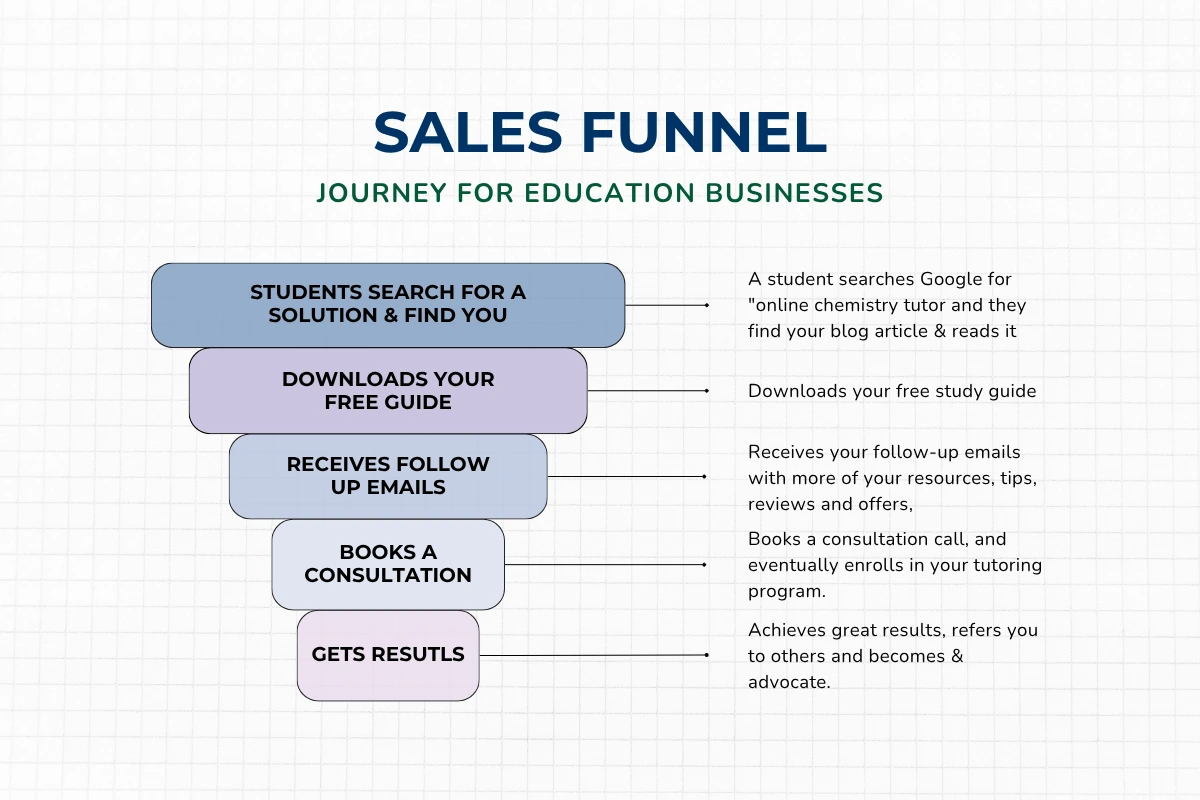
Here's a simple example of the funnel process:
- A student searches Google for "online chemistry tutor" and finds your blog article
- Downloads your free study guide (the lead magnet)
- Receives your follow-up emails with more resources, tips, reviews, and offers
- Books a consultation call and eventually enrolls in your tutoring program
- Achieves great results, refers you to others, and becomes an advocate
This entire journey is your sales funnel.
The keyword here is "journey." A sales funnel isn't about pushing sales immediately. It's about guiding prospects through stages, building trust, and making it easy for them to say yes when they're ready.
To learn more about how to set up a complete sales funnel, read my comprehensive guide: How to Build a Sales Funnel for Your Education Business.
In that guide, you'll learn what a sales funnel actually is, why it's essential for education businesses, the stages every funnel needs, and a step-by-step process to build your own. By the end, you'll have a clear roadmap to create a funnel that works for your specific tutoring business.
Lead Magnet Ideas for Tutors
1. Free study guides: Subject-specific guides, formula sheets, or concept summaries students can download and use immediately.
2. Assessment or quiz: Help students identify their strengths and weaknesses. "Find out your learning style" or "What SAT score can you achieve?"
3. Mini-course or video lesson: A short 3-5 video series teaching a specific concept. Demonstrates your teaching style and provides immediate value.
4. Resource list: Curated lists of tools, websites, books, or apps students can use. "Top 10 Free Math Practice Websites" or "Best Language Learning Apps."
5. Consultation or trial class: A free 20-30 minute consultation or trial lesson. This is the most direct path to booking, but requires more commitment than a downloadable resource.
Integrating Lead Magnets on Your Website
1. Popup forms with strategic timing: Don't show popups immediately - that's annoying. Trigger them after visitors have been on the page for 30+ seconds or scrolled 50% down. This indicates engagement.
2. Embedded forms in content: Place forms within blog articles, at the end of service descriptions, or in dedicated sections on your homepage. These feel natural and less intrusive.
3. Exit-intent offers: When a visitor moves their mouse toward the back button or closing the tab, trigger an exit-intent pop-up. "Wait! Before you go, get our free study guide."
4. Landing pages for each lead magnet: Create dedicated landing pages focused solely on getting people to download your lead magnet. No navigation, no distractions - just the offer and the form.
7. Creating High-Converting Landing Pages
Landing pages are the conversion engines of your tutoring website. Unlike your regular website pages that have navigation menus and multiple purposes, landing pages have one single goal: get the visitor to take a specific action (download a resource, book a call, register for a webinar).
Landing pages convert better than regular pages because they eliminate distractions and focus entirely on the desired action.
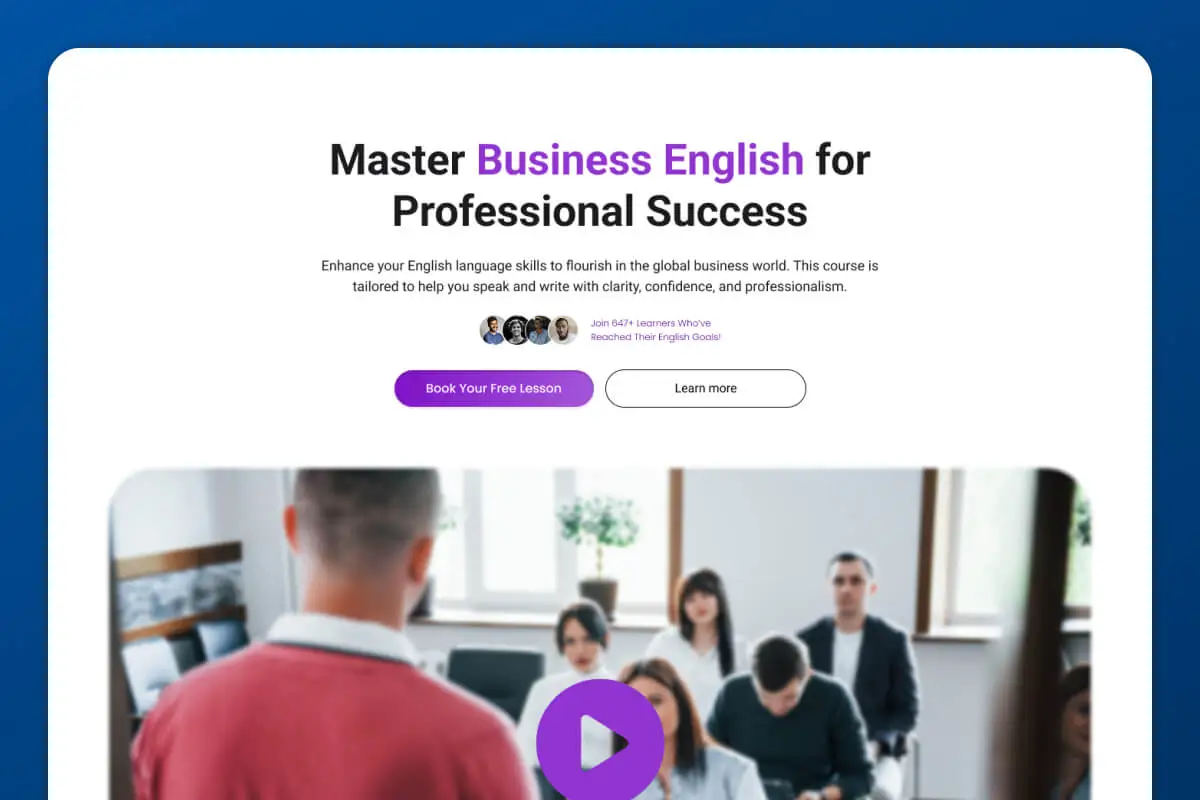
When to Use Landing Pages
1. Paid advertising campaigns: When you run Google Ads or Facebook/Instagram ads, send traffic to dedicated landing pages, not your homepage. Landing pages relevant to the ad convert 5-10x better.
2. Specific lead magnet offers: Every lead magnet should have its own landing page. Don't try to promote 5 different resources on one page.
3. Webinar registrations: If you're hosting a free webinar or workshop, create a landing page dedicated to registration.
4. Service-specific promotions: Running a special offer on SAT prep? Create a landing page specifically for that offer, not a general services page.
Landing Page Structure
1. Compelling headline: Your headline should clearly state the benefit or result. "Download the Free SAT Math Formula Sheet" or "Book Your Free Chemistry Tutoring Consultation."
2. Clear benefits: Explain exactly what the visitor gets and why it's valuable. Use bullet points to make benefits scannable.
3. Social proof: Include testimonials, student success stories, or statistics that build credibility. "Join 500+ students who've improved their grades with our free resources."
4. Strong CTA: One clear, prominent call-to-action button. Make it stand out visually and use action language.
5. No navigation: Remove your header menu and footer links. Landing pages should have no way to leave except completing the action or closing the tab. This sounds extreme, but it works - removing distractions increases conversions significantly.
Landing Page Best Practices
1. One clear goal per page: Don't ask visitors to book a call AND download a guide AND watch a video. Pick one action and optimize the entire page for that goal.
2. Minimal form fields: The more fields you require, the fewer people complete the form. For lead magnets, just ask for name and email. For consultation bookings, add phone number if necessary, but nothing more.
3. Visual elements that support copy: Use images, icons, or short videos that reinforce your message. Avoid generic stock photos - use real images when possible.
4. Mobile optimization: Test your landing page on multiple devices. Forms especially need to work flawlessly on mobile.
5. Fast loading speed: Landing pages should load in under 2 seconds. Slow pages lose visitors before they even see your offer.
8. Launch + Technical Setup
You've built your tutoring website. Now it's time to launch it to the world. But before you hit publish, there's a crucial pre-launch checklist and technical setup you need to complete.
Launching without proper testing and technical setup leads to broken forms, poor SEO, and visitors having a bad experience. Take the time to do this right.
Pre-Launch Checklist
1. All pages complete and proofread: Check every page for typos, grammar mistakes, and formatting issues. Read everything out loud - you'll catch errors you missed when reading silently.
2. All links working: Click every internal link, external link, and button. Broken links look unprofessional and hurt SEO. Use a tool like Broken Link Checker to find issues automatically.
3. Forms tested and working: Fill out every form on your site. Make sure you receive the submission via email. Test on both desktop and mobile.
4. Mobile responsiveness checked: View your entire site on your phone. Check that text is readable, buttons are tappable, images load correctly, and nothing looks broken.
5. Loading speed optimized: Use Google PageSpeed Insights or GTmetrix to test your site speed. Aim for under 3 seconds. Compress images, minimize plugins, and use caching if needed.
6. SEO basics implemented: Meta titles and descriptions written, header tags correct, alt text added to images. We'll cover technical SEO in detail below.
Technical Essentials
1. Domain setup and connection: Your domain (yourwebsite.com) needs to be connected to your hosting or website platform. Follow your platform's instructions for domain connection.
2. SSL certificate (security): Your site needs HTTPS (the padlock icon in browsers). This encrypts data and is essential for security and trust. Most platforms include free SSL certificates.
3. Google Analytics installation: Add your Google Analytics tracking code to every page. This lets you monitor traffic, visitor behavior, and conversions. Essential for understanding how your site performs.
4. Google Search Console setup: Register your site with Google Search Console. This tool shows how your site appears in Google search results, identifies errors, and helps with SEO monitoring.
5. Email integration: Make sure your contact forms send submissions to your email. Test this before launch to avoid missing inquiries.
6. Backup system: Set up automatic backups of your website. If something breaks, you can restore it. Most hosting providers include backup options.
SEO Technical Setup
1. Meta titles and descriptions: Every page needs a unique meta title (appears in search results and browser tabs) and meta description (the snippet under the title in search results). Include your target keywords naturally.
2. Header tags hierarchy: Your page title is H1 (only one per page). Main sections are H2. Subsections are H3. Proper hierarchy helps search engines understand your content structure.
3. Image alt text: Add descriptive alt text to every image. This helps visually impaired visitors and tells search engines what the image shows. Include keywords naturally when relevant.
4. XML sitemap: Create and submit an XML sitemap to Google Search Console. This is a file listing all your pages, helping search engines find and index your content.
5. Robots.txt file: This file tells search engines which pages to index and which to ignore. Most platforms generate this automatically, but check that it's not blocking important pages.
6. Schema markup (optional): Schema markup is code that gives search engines more context about your content. For tutoring websites, LocalBusiness schema (if you're local) or Person schema (for your About page) can enhance search results.
Launch Day Tasks
1. Final testing on all devices: Check your site one more time on desktop, mobile, and tablet. Have a friend or family member test it too - fresh eyes catch issues you might miss.
2. Announce launch: Share your new website on social media, send an email to your existing contacts, and let your network know. Build initial momentum and traffic.
3. Submit to Google for indexing: In Google Search Console, submit your homepage URL for indexing. This tells Google your site is ready to be crawled and added to search results.
4. Monitor for any issues: Keep an eye on your site for the first few days. Check forms, tracking codes, and overall functionality. Fix any issues immediately.
Phase 3: Post-Launch Phase
Here's where most tutoring websites fail: they launch and then... nothing. The owner assumes students will magically find the site and book sessions. That doesn't happen!
When you first launch your tutoring business website, your domain authority and rating are low. Search engines don't know you exist yet. Even with great SEO and regular content creation, it takes 4-12 months (depending on your niche and competition) to start getting meaningful organic traffic from Google.
That's why you need a post-launch strategy that brings visitors to your site while you build long-term SEO. There are two approaches: long-term strategies and short-term strategies. You need both.
Long-Term Growth Strategies
Long-term strategies build sustainable, compounding growth. They take time to show results, but once they gain momentum, they provide consistent traffic and students without ongoing ad spend.
These strategies build credibility, trust, and authority in your niche. They position you as an expert, not just another tutor trying to get bookings.
Content Creation Strategy
1. Why consistent content matters: Every blog article, post, & video you publish is a new opportunity for students to find you through search engines. More content = more keywords you rank for = more traffic. Content also demonstrates expertise and builds trust with prospects.
2. Blog topics that attract students: Answer questions your ideal students are asking. "How to improve SAT math scores," "Best way to learn Spanish grammar," "Chemistry exam study tips." Use your keyword research from earlier to guide topics.
3. Content calendar planning: Plan your content 1-2 months ahead. This prevents writer's block and ensures consistency. Aim for 2-4 SEO-optimized articles per month minimum.
4. Repurposing content across platforms: Turn one blog article into a LinkedIn post, YouTube video, email newsletter, and social media graphics. One piece of content becomes 10+ assets.
Blog/Article Writing for SEO
1. Keyword-targeted articles: Each article should target a specific keyword phrase. Include the keyword in your title, headers, and naturally throughout the content.
2. Answering student questions: Write articles that solve specific problems. These rank well because they match search intent - what people are actually looking for.

3. Publishing frequency: Consistency matters more than frequency. Publishing 1 quality article per week is better than publishing 10 mediocre articles sporadically. (2-4 articles per month is optimal)
4. Internal linking strategy: Link from blog articles to your service pages and other relevant articles. This keeps visitors engaged and helps SEO.
To learn more about the basics of Content Writing for SEO, be sure to check out this video: Content Writing for SEO: How to Create Content that Ranks in Google.
Social Media Marketing
1. Driving traffic to website: Every social media post should include a way to visit your website - whether it's a link in your bio, a direct link in the post, or a call-to-action to visit your site.
2. Platform selection for tutors: Focus on 1-2 platforms where your ideal students spend time. Don't spread yourself thin across every platform.
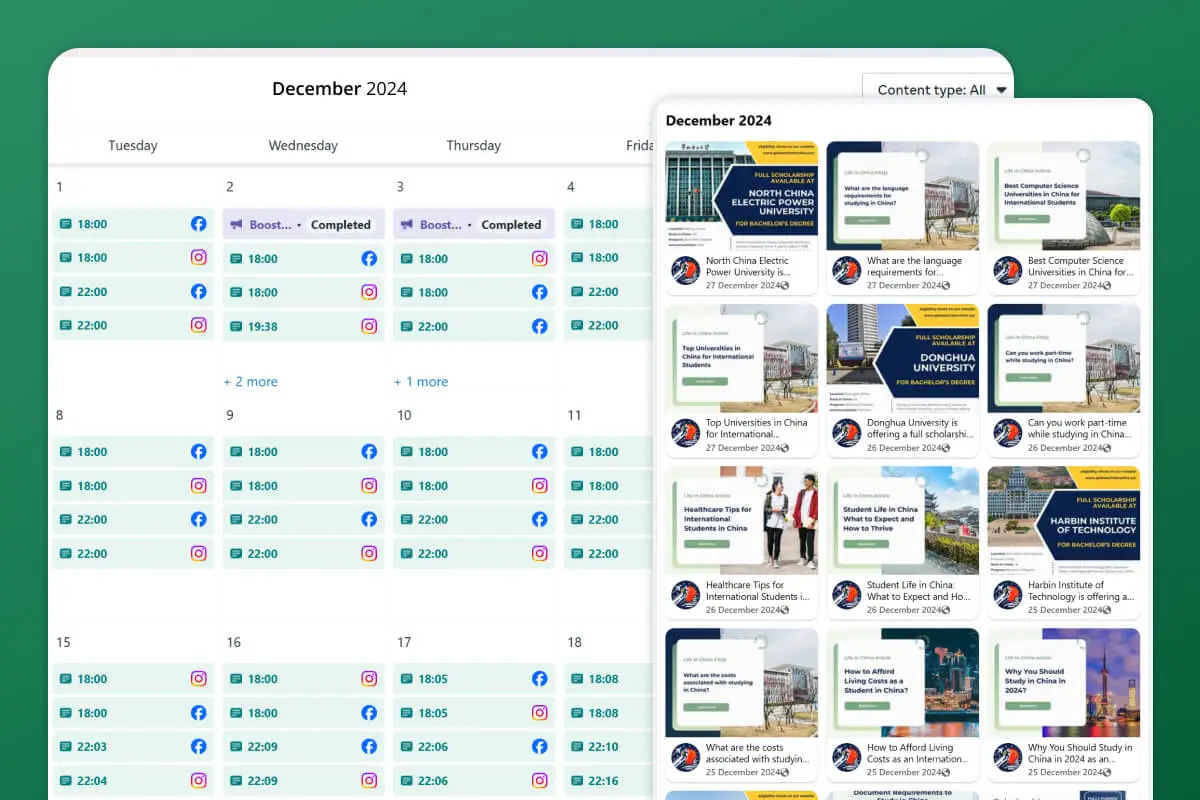
3. Content pillars: Organize your content into categories (educational tips, student success stories, behind-the- scenes, promotional offers). This creates variety and consistency.
4. Engagement strategies: Don't just post and disappear. Respond to comments, engage with your followers' content, and build relationships.
To learn more on social media marketing strategies be sure to check my Complete Social Media Guide For Your Tutoring Business.
In this guide, I will show you exactly how to market your tutoring business on social media with actionable strategies you can implement right away.
You'll learn which platforms to focus on, what content to create, and how to turn followers into paying students. By the end, you'll have a clear roadmap to build your online presence and attract more students consistently.
Building Backlinks
Backlinks are links from other websites pointing to yours. They're like votes of confidence. More high-quality backlinks = higher domain authority = better search rankings. This is one of the key indicators for Google to consider your website and business as a trusted authority in your niche.
- Guest posting opportunities: Write articles for other education blogs or websites in exchange for a link back to your site.
- Directory submissions: List your tutoring business in education directories, local business directories (if local), and niche-specific listings.
- Local citations (if local business): Ensure your business name, address, and phone number are consistent across Google My Business, Yelp, and other local directories.
- Partnerships and collaborations: Partner with complementary businesses (schools, educational organizations, other tutors) for cross-promotion and link exchanges.
Backlinks are the backbone of website traffic, authority, and credibility. Once the website is launched, the first thing to focus on is getting quality backlinks.
Running backlinks campaigns: Monthly backlink building is crucial for SEO growth. However, be extremely careful about cheap backlink services from random agencies or freelancers. Most of them provide spam links from low-quality sites that can destroy your website's health and rankings.
Instead, work with trusted backlink or PR agencies that focus on high-quality, relevant backlinks. At Mabit Web Studio, we're partnered with a reputable backlinks and PR agency and provide backlink services upon request.
Reach us at contact@mabitwebstudio.com to learn more.
Ongoing SEO Maintenance
1. Monitoring rankings: Track which keywords you're ranking for and where you appear in search results. Tools like Google Search Console and Google Analytics work as a free option.
Ubersuggest also has great monitoring features at a reasonable cost. Semrush and Ahrefs are the top quality ones but they can be super expensive for tutoring businesses, hence I don’t recommend.
2. Updating old content: Refresh older articles with new information, updated statistics, and improved SEO. This signals to Google that your content is current and relevant.
3. Technical SEO audits: Run quarterly audits to check for broken links, slow pages, mobile issues, and other technical problems affecting SEO.
4. Competitor analysis: Keep an eye on what your competitors are doing. Which keywords are they targeting? What content are they creating? Find gaps you can fill.
Short-Term Growth Strategies
Short-term strategies bring immediate traffic and student inquiries. While long-term strategies build authority, short-term strategies bring students now.
The most successful tutoring businesses run both strategies simultaneously.
Long-term strategies build organic growth, credibility, and sustainable traffic. Short-term strategies acquire students quickly and generate revenue that funds your long-term efforts.
One isn't better than the other. They work hand in hand.
Paid Advertisements
1. Google Ads for tutors:
When someone searches "SAT tutor near me" or "online chemistry tutor," Google Ads lets you appear at the top of search results immediately. You pay per click, and when set up correctly, ads can deliver ROI quickly.
2. Facebook/Instagram ads: Target specific demographics (age, location, interests, parental status) to reach your ideal students. These ads work well for student acquisition.
3. Ads + Landing Pages: Always send ad traffic to dedicated landing pages, not your homepage. Landing pages relevant to the ad convert significantly better and lower your cost per acquisition.
Promotions and Offers
1. Launch promotions: Offer discounts or bonuses for the first students who enroll after your website launches. Creates urgency and momentum.
2. Seasonal offers: Back-to-school promotions, test prep specials before SAT/ACT dates, summer tutoring packages. Align offers with when students need help most.
3. Referral programs: Reward existing students for referring friends. "Refer a friend and get $50 off your next month" or "Your friend gets 10% off and you get a free session."
4. Limited-time discounts: Create urgency with time-limited offers. "Book by Friday and save 20%." Urgency drives action.
Collaborations
1. Partner with other tutors and tutoring businesses: Cross-promote services. If you teach math and another tutor teaches English, refer students to each other.
2. Guest appearances on podcasts: Get featured on education podcasts, parenting podcasts, or entrepreneurship shows. Share your expertise and mention your tutoring services.
3. Joint webinars: Host free webinars with complementary businesses. "How to Help Your Child Succeed in High School" co-hosted with a college counselor.
4. School partnerships: Build relationships with local schools, homeschool co-ops, or learning centers. They can refer students to you.
5. Community involvement: Sponsor local education events, speak at parent meetings, or volunteer at schools. Visibility in your community builds trust and referrals.
Download Checklist For Launching Your Tutoring Business Website
I understand that keeping track of all these strategies and tasks can feel overwhelming. That's exactly why I created a comprehensive Tutoring Website Launch Checklist.
This checklist contains the entire roadmap for building your tutoring business website - from foundation setup through launch and post-launch strategies.
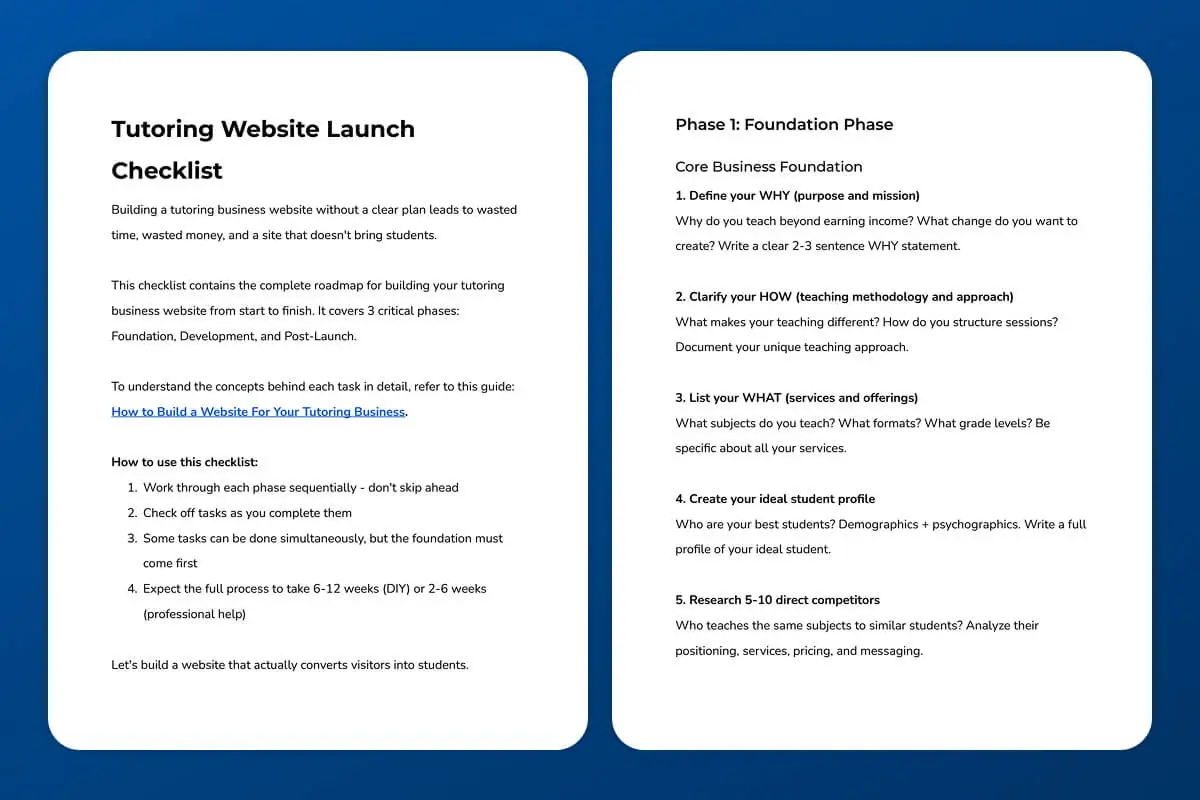
Simply download the checklist and follow the step-by-step process to build a conversion-focused website that brings students.
Download Your Free Tutoring Website Launch Checklist Now
Common Mistakes to Avoid
1. Building Website Before Foundation
Why it leads to weak messaging: Without a clear WHY, ideal student profile, and unique positioning, your website copy becomes generic. You end up sounding like every other tutor because you don't know what makes you different.
How to avoid it: Complete the foundation phase first. Define your WHY, HOW, WHAT, ideal student, and USP before you write a single word of website copy or design a single page.
2. Design Over Function
Pretty but doesn't convert: A beautiful website that doesn't convert visitors into students is useless. Design should support function, not replace it.
Prioritize user experience: Focus on clear navigation, fast loading, easy booking process, and compelling copy before worrying about fancy animations or complex layouts.
3. No Clear Call-to-Action
Visitors don't know what to do next: If your website doesn't clearly tell visitors what action to take, they'll leave. Even interested prospects won't figure it out on their own.
How to fix it: Include clear, prominent CTAs throughout your site. "Book Free Consultation," "Schedule Discovery Call," "Download Free Guide." Make buttons stand out visually and repeat CTAs on every page.
4. Complicated Booking Process
Friction kills conversions: Every extra step in your booking process loses potential students. If someone has to fill out 10 fields, create an account, and navigate through multiple pages just to schedule a call, they'll give up.
Simplify the path to enrollment: Use scheduling tools like Calendly that let people book in 2-3 clicks. Keep contact forms to 3-5 fields maximum. Make your phone number clickable on mobile.
5. Launching Custom Platforms Without Validation
Building before proving demand: Investing $10,000-50,000 in a custom e-learning platform before you've proven your offer works is a disaster waiting to happen. Most custom platforms fail because the business model wasn't validated first.
How to avoid it: Start with existing platforms (Kajabi, Teachable, etc.) to test your offer. Build your audience. Get students. Prove demand. Once you have traction and revenue, then consider custom development.
6. No Lead Capture Strategy
Missing email collection opportunities: If visitors leave your site without giving you their email, you've lost them forever. You can't follow up, nurture them, or remind them why they should book.
How to implement lead magnets: Offer valuable free resources in exchange for email addresses. Study guides, assessments, mini-courses, or consultations. Make it easy to opt-in with simple forms throughout your site.
7. Not Investing in Post-Launch Marketing
"Build it and they will come" myth: Launching your website doesn't magically bring students. You need active marketing strategies to drive traffic and generate bookings.
Importance of ongoing promotion: Implement both long-term strategies (content, SEO, backlinks) and short- term strategies (ads, promotions, collaborations). Your website is a tool, not a solution. You still need to promote it.
8. Not Tracking Metrics
Can't improve what you don't measure: If you don't know how many visitors you get, where they come from, which pages they visit, and where they drop off, you're flying blind. You have no idea what's working or what needs improvement.
Essential metrics to monitor: Website traffic (Google Analytics), keyword rankings (Google Search Console), conversion rates (form submissions, bookings), bounce rate (how many leave immediately), and source of traffic (organic, social, referral, paid).
FAQs About Building a Tutoring Website
1. How much does it cost to build a tutoring website?
DIY costs: $100-500 for hosting, domain, premium theme, and basic tools. This assumes you're building it yourself using WordPress, Wix, or similar platforms. Your time investment is significant (6-12 Weeks).
Professional development costs: $1,000-10,000+ depending on complexity, features, and whether you need custom functionality. Simple template-based sites are cheaper. Custom-designed, conversion-optimized sites with SEO and copywriting are more expensive but deliver better results.
Factors affecting price: Platform choice (WordPress vs. custom development), design complexity (template vs. custom design), functionality needs (basic vs. advanced booking systems, integrations), SEO and copywriting services, ongoing maintenance and support.
2. How long does it take to build a tutoring website?
DIY timeline: 6-12 weeks if you're building it yourself. This includes learning the platform, designing pages, writing copy, and testing. Expect longer if you're completely new to website building.
Professional timeline: 2-6 weeks when working with an experienced developer or agency. Timeline depends on complexity, how quickly you provide content and feedback, and whether custom features are needed.
Factors affecting timeline: Your responsiveness in providing content and feedback, number of pages and features needed, whether you have brand assets ready (logo, colors, copy), and complexity of integrations (scheduling tools, payment systems, CRM).
3. Do I need coding skills to build a tutoring website?
No-code platforms explained: WordPress, Wix, Webflow, and Squarespace are no-code platforms. You can build professional websites using drag-and-drop interfaces, pre-built templates, and visual editors. No coding required.
When coding knowledge helps: If you want complete customization, complex functionality, or specific integrations that aren't available as plugins, coding skills (HTML, CSS, JavaScript, PHP) give you more control. But for most tutoring websites, no-code tools are sufficient.
Hiring developers vs. DIY: If you don't have time to learn, don't want to deal with technical issues, or want a more polished result, hiring a developer or agency makes sense. If budget is tight and you're willing to invest time, DIY is viable.
4. What platform is best for a tutoring website?
WordPress is the best overall option. It has the most flexibility, best SEO capabilities, largest plugin ecosystem, and scales well as your business grows. However, it's more technical than alternatives.
Webflow is best for design freedom. If you want complete creative control and don't mind higher development costs, Webflow delivers beautiful, unique designs with excellent SEO.
Avoid Wix and Squarespace for tutoring businesses. Their SEO capabilities are limited compared to WordPress and Webflow, and you have less design flexibility.
Tutoring platforms (Kajabi, Teachable, etc.): If you're okay with the cons (higher cost, limited customization, weaker SEO), these all-in-one platforms can work. They're best for course creators who want everything in one place and don't mind the limitations.
Custom development: Only consider custom development if you need highly specific functionality that no platform offers, have significant budget ($10,000+), and have proven your business model.
5. How do I get students to find my tutoring website?
Word-of-mouth strategies: Ask satisfied students and parents to refer others. Create a referral program with incentives. Encourage reviews and testimonials.
Social Media + Content Creation: Share valuable content on social media platforms where your ideal students are active. Drive traffic to your website through consistent posting and engagement.
SEO (long-term): Create SEO-optimized blog content targeting keywords students search for. Build backlinks from reputable education websites. This takes 4-12 months to gain momentum but provides sustainable traffic.
Paid advertising (short-term): Google Ads and Facebook/Instagram ads bring immediate traffic. Target specific keywords, locations, and demographics to reach your ideal students.
6. How often should I update my tutoring website?
Content updates: Upload 2-4 SEO-optimized articles per month for consistent organic growth. Regular fresh content signals to Google that your site is active and relevant.
Design updates: Only update design when needed - if your site looks outdated, doesn't reflect your brand anymore, or isn't converting well. Major redesigns every 2-3 years are typical.
Technical maintenance: Ongoing maintenance is crucial. Update plugins, themes, and software regularly (WordPress requires this monthly). Monitor site speed, broken links, and security. Check forms and functionality quarterly.
Let’s Build Your Tutoring Business Website Together
Growing a tutoring business can feel overwhelming. Between designing your website, optimizing for SEO, managing content, and figuring out how to attract students, it's easy to get stuck in tasks that aren't your expertise.
That's exactly where Mabit Web Studio comes in. We specialize in helping online tutors like you grow your student base and build a strong digital presence by designing tutoring business websites that aren't just elegant - they're built to convert visitors into students.
Whether you're just starting out or ready to scale, we offer flexible service packages tailored to your budget and business goals.
You won't need to juggle multiple freelancers or worry about piecing everything together - we handle the entire process for you:
- SEO Research - Keyword research and strategy to ensure your site ranks
- Website Copy - Conversion-focused copywriting that speaks to your ideal students
- Website Design & Development - Professional, mobile-responsive, fast-loading sites
- Post-Launch Strategies - Ongoing support with content, SEO, and marketing
Let us take the burden of website and marketing strategies off your shoulders so you can focus on what you do best: teaching and inspiring learners.
Conclusion
Building a conversion-focused tutoring business website isn't about picking the prettiest template or adding fancy animations. It's about following a strategic process that attracts your ideal students and guides them toward enrollment.
Here's a recap of what we've covered:
- Phase 1: Foundation - Your business foundation (WHY, ideal student, USP, brand strategy) determines everything that comes after. Skip this and your website will have weak messaging that doesn't convert.
- Phase 2: Development - From SEO keyword research and wireframing to copywriting, design, and conversion optimization, this phase builds the actual website. Every decision should be driven by conversion strategy, not just aesthetics.
- Phase 3: Post-Launch - Your website won't magically bring students the day it launches. Long-term strategies (content, SEO, backlinks) build sustainable growth. Short-term strategies (ads, promotions, collaborations) bring students immediately.
A conversion-focused approach beats pretty design every single time. A simple, clear website that guides visitors toward booking will always outperform a beautiful website with unclear messaging and no conversion strategy.
Your tutoring business website is an asset that works 24/7 to attract students, build credibility, and generate bookings. When you combine a solid foundation with strategic development and consistent post-launch marketing, your website becomes your most valuable business tool.
Download the Tutoring Website Launch Checklist Now.
And if building your tutoring business website feels overwhelming, or you'd rather focus on teaching while experts handle the website, Mabit Web Studio can help.
We've built this process specifically for online tutors and education businesses. We understand your challenges, your audience, and what actually converts visitors into students.
Schedule a free consultation call to discuss your website project. Let's build a website that brings you students consistently.